
Cloud Digital Signage CMS
Digital signage CMS and content management software
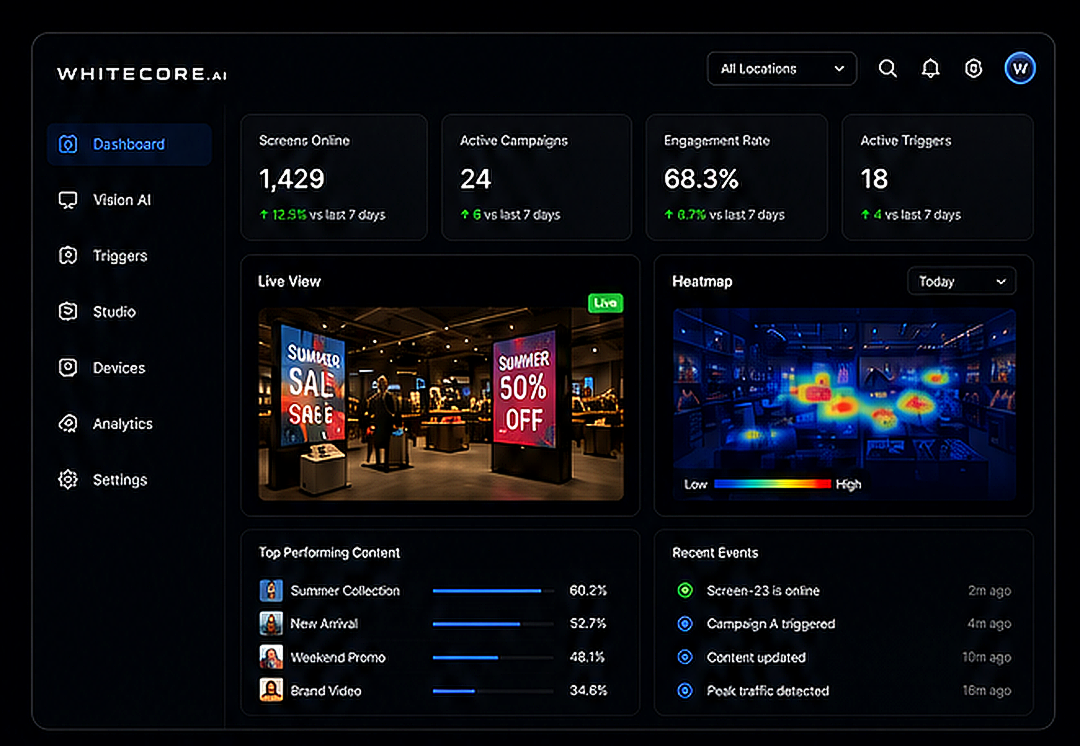
Create, schedule and publish screen content from anywhere with WhiteCore.AI. Manage every media library, playlist, player and campaign in one cloud content management platform built to scale.
100% Cloud
Access anywhere. No infrastructure to manage.
Real-time Control
Update content across every screen instantly.
Enterprise Grade
Secure, reliable and built to scale.
Easy to Use
Capable tools, without the complexity.
Core Features
Everything you need to manage digital signage at scale
One platform for your screens, media, schedules and campaigns, with automation built in from day one.
Screen Management
Organise screens by location, group or tag, and monitor their status in real-time.
Content Management
Upload, organise and manage all your media in one central library.
Scheduling
Create playlists and schedules that run exactly when you want them to.
Campaigns
Launch targeted campaigns across locations and screens in a few clicks.
Analytics
Track performance, engagement and audience insights from one dashboard.
Automation & Triggers
Set smart triggers to automate content based on time, events or AI.
Content workflow
What digital signage content management software does
A digital signage content management system is the operational centre between your creative files and the screens people see. It keeps content organised, controls where and when it plays, and gives teams a repeatable publishing process as the network grows.
WHITECORE combines that CMS workflow with media-player management, optional Vision AI and reporting, so content operations and audience intelligence do not need separate platforms.
1. Upload and organise
Add images and video to a reusable cloud media library instead of storing separate files at every screen.
2. Create presentations
Combine media with text, IPTV, time, date, weather and temperature in layouts prepared for your displays.
3. Build playlists
Arrange content in the sequence it should play and reuse playlists across different campaigns and locations.
4. Set schedules
Choose the dates, days and times each playlist should run so content changes without a manual screen visit.
5. Target screens
Assign content to one display, a location, a screen group or a wider network from the same dashboard.
6. Publish and monitor
Send updates remotely and review connected media players before deciding whether on-site support is required.
Vision AI
Smarter with Vision AI
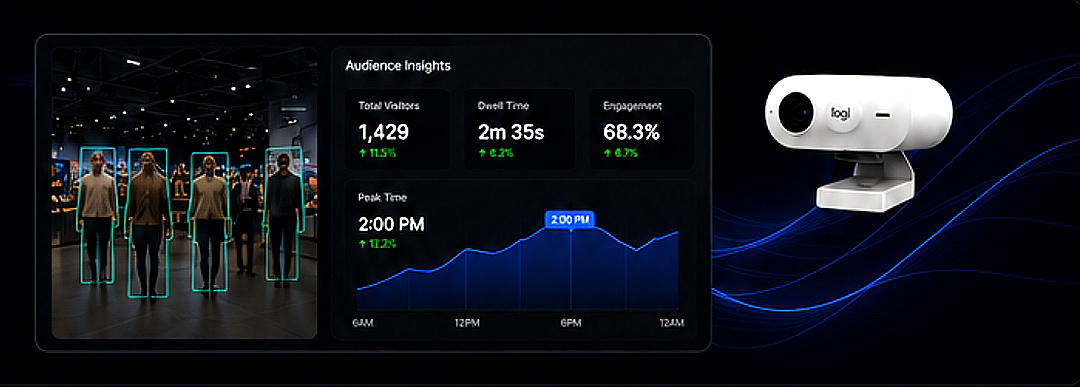
Combine the CMS with Vision AI to turn your screens into intelligent, data-driven experiences, counting audiences, measuring engagement and triggering the right content automatically.
Connected operations
Extend the CMS across content, screens and locations
Frequently asked questions
Digital signage CMS questions
What is a digital signage CMS?
A digital signage CMS is content management software for uploading media, creating presentations, building playlists, scheduling playback and publishing content to connected screens from a central dashboard.
How is a digital signage CMS different from a website CMS?
A website CMS publishes pages for web browsers. A digital signage CMS manages timed visual content, playlists, screen assignments and media players for physical displays.
Can one CMS manage screens in multiple locations?
Yes. WHITECORE can organise screens by location, group or tag so teams can publish a shared campaign across a network or target individual displays.
What content can the WHITECORE CMS manage?
The content workflow supports images, video, text, IPTV, time, date, weather and temperature within presentations and scheduled playlists.
Does content management require Vision AI cameras?
No. The CMS, content studio, playlists, schedules and media-player management work without cameras. Vision AI is an optional analytics and automation layer.
Trusted by leading brands and organisations.